Harmonino

Make a loop in seconds. No wrong notes.

Melody, chords, bass and drums: one grid each, always in key. Start from an idea, shape it with your finger, then play with the sound until it’s yours.

Get it on Google PlayDownload on the App Store

Free on iPhone and Android. Harmonino Pro is a one-time purchase, with no subscription.

A video exported by the app.

From an idea to a loop you share

Four tracks, each on its own grid: the melody, the chords, the bass and the drums.

  1. 1

    Start from an idea

    One tap writes a whole loop: melody, chords, bass and drums. Then vary a track, or give the whole song a new sound while its notes stay the same.
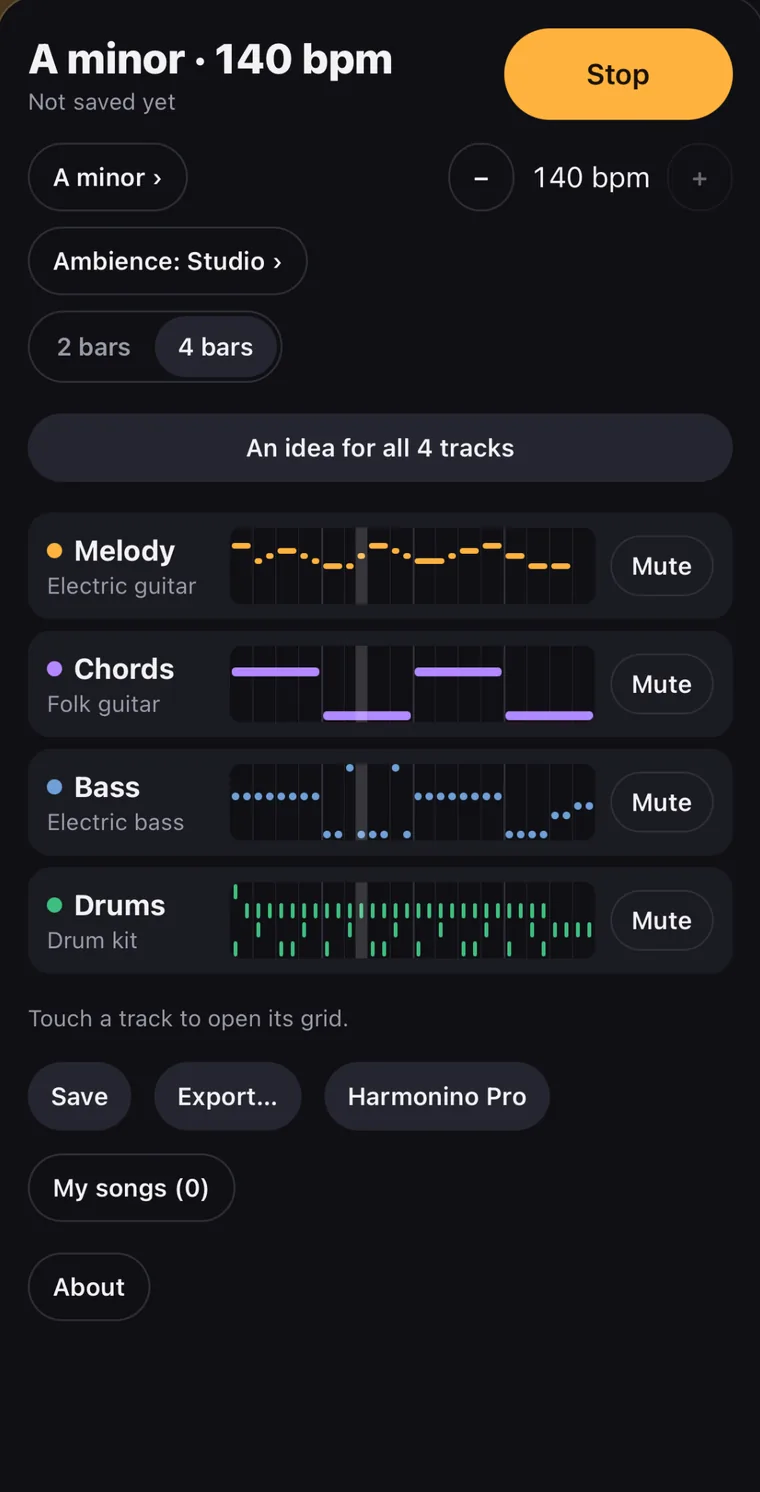
    The studio: the melody, the chords, the bass and the drums of a loop in A minor, and the button “An idea for all 4 tracks”
  2. 2

    Shape it with your finger

    Place, stretch and move the notes on each grid, add a glide or a vibrato. Every note stays in key: 12 keys, in major, minor or four church modes, with chords in seventh, ninth or sus.
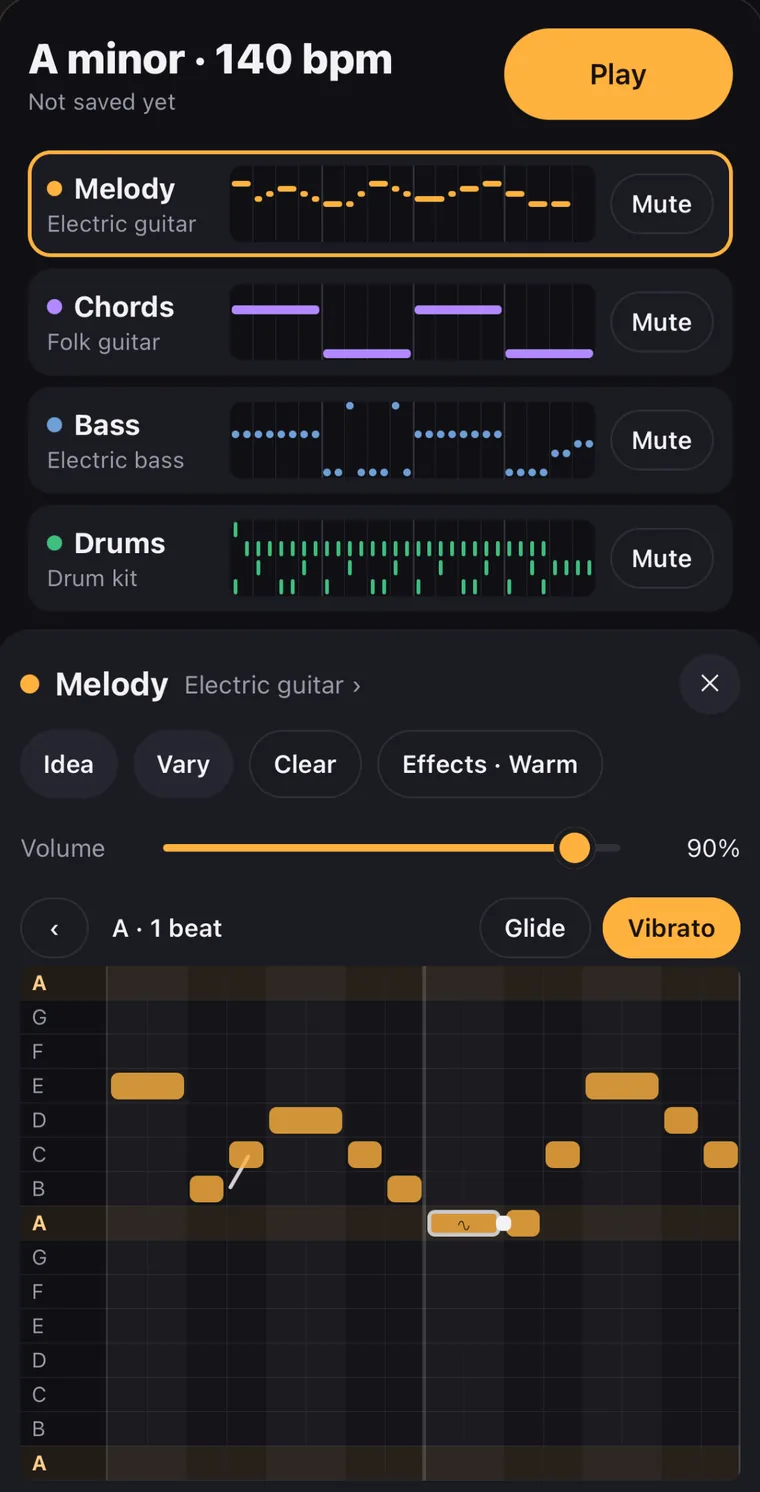
    The melody’s grid, its notes on the rows of the scale, Glide and Vibrato above it
  3. 3

    Make it sound like you

    Recorded instruments, effects and ambiances, from an old cassette to a cathedral. Then the Sound workshop, to shape the sound of the melody, the chords and the bass yourself.
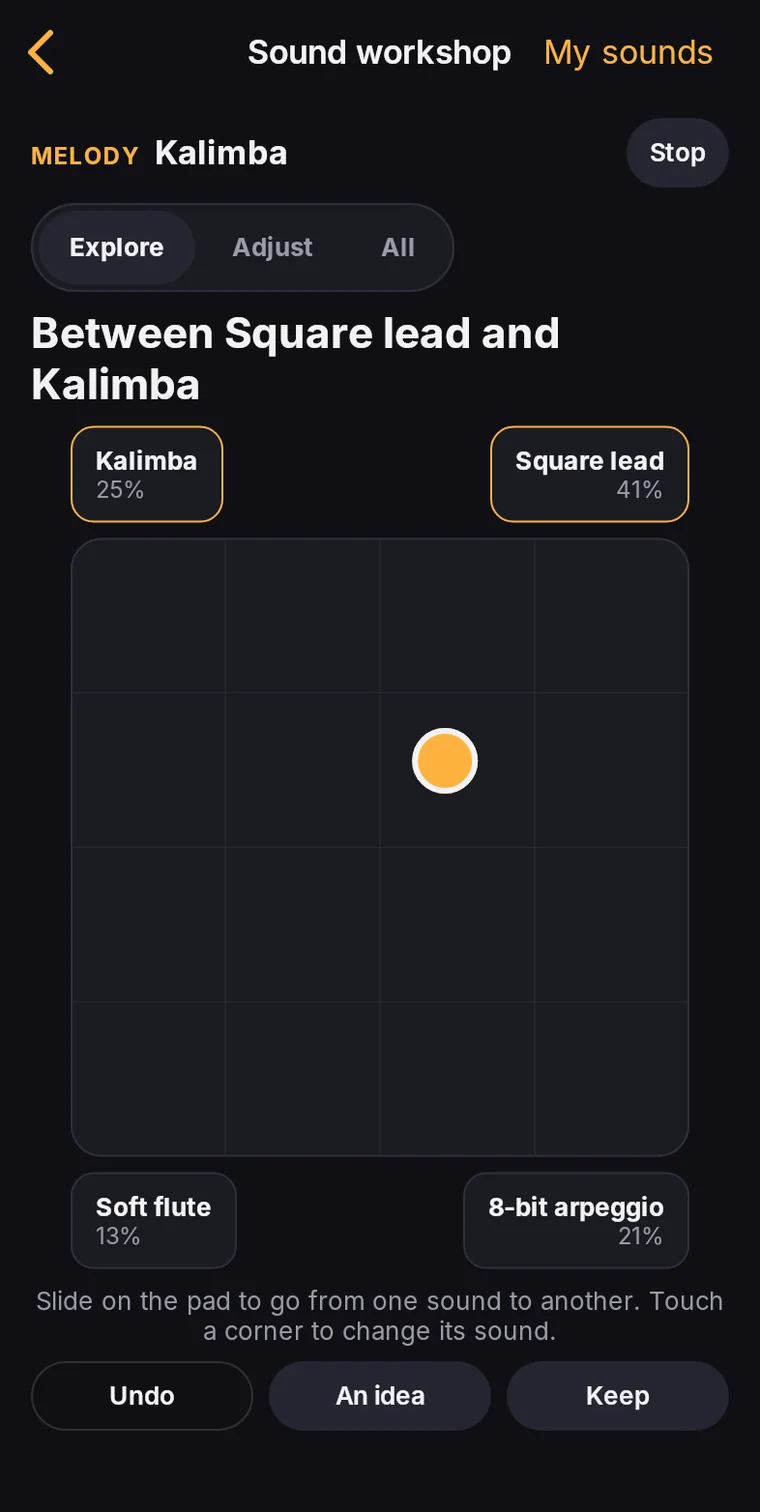
    The Sound workshop: a pad between four sounds, Kalimba, Square lead, Soft flute and 8-bit arpeggio, the puck between Square lead and Kalimba
  4. 4

    Share it

    Export a vertical video that loops for TikTok, Reels and Shorts, or give a short code: it opens your loop on another phone, ready to be changed.
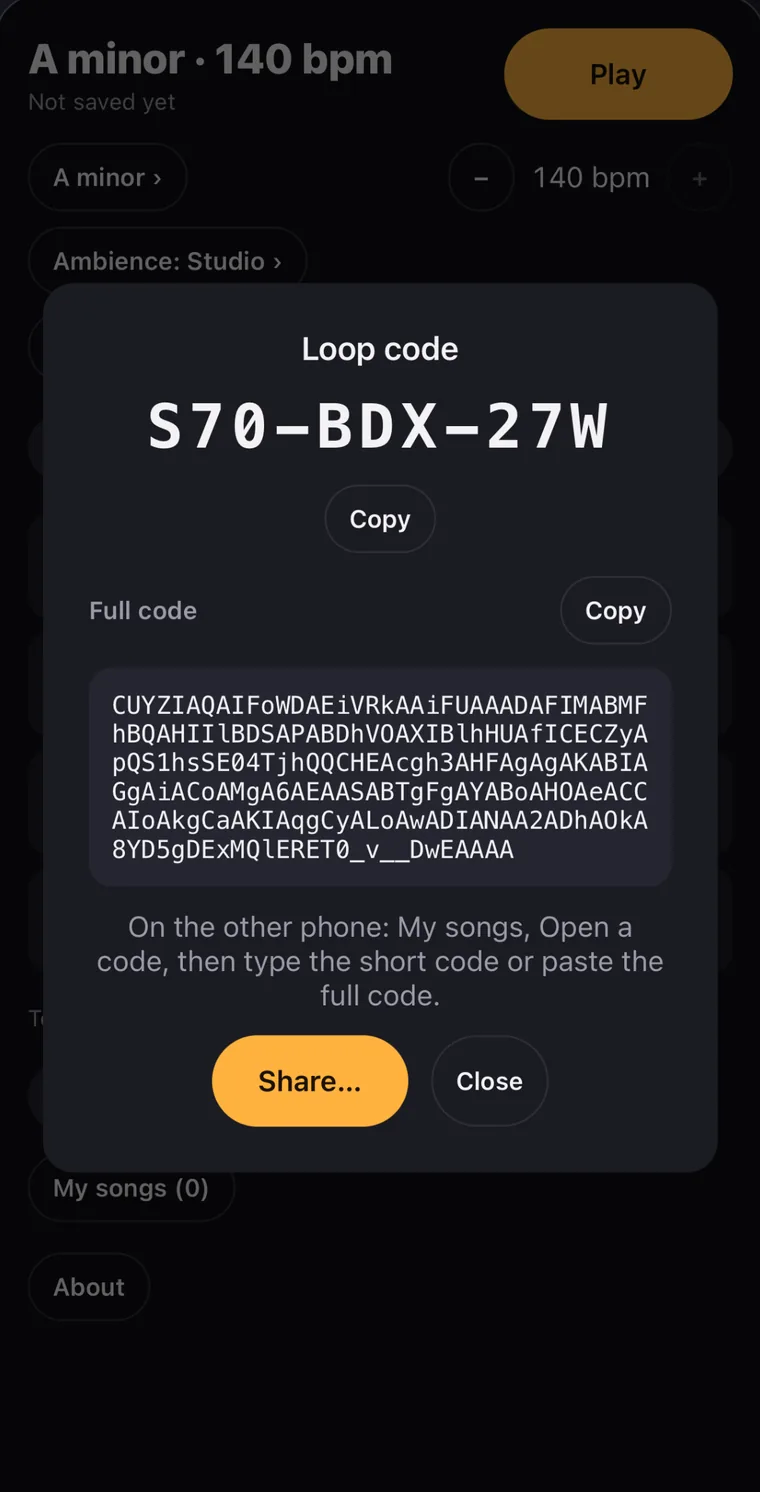
    A loop’s code: the short code S70-BDX-27W and the full code under it

Slide between four sounds

This is the Sound workshop’s pad, with the four sounds it starts from on the kalimba. Drag the puck: the closer it is to a corner, the more you hear that corner’s sound.

Kalimba

The melody as the app’s sound engine plays it, recorded at nine places on the pad.
Then go further

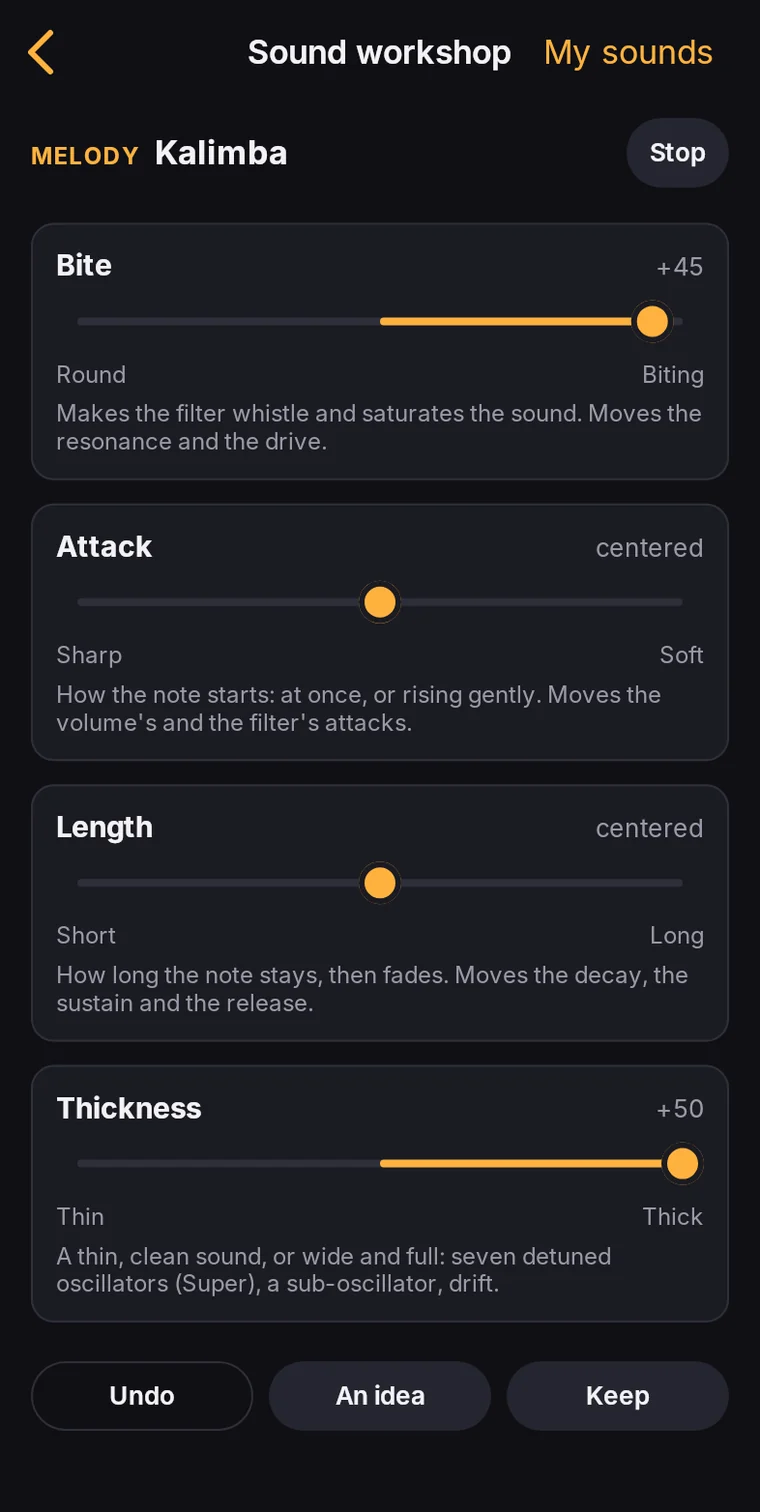
Adjust: the knobs Bite, Attack, Length and Thickness of the square lead
Adjust. Six knobs take the synth from dull to bright, from round to biting, from thin to thick.
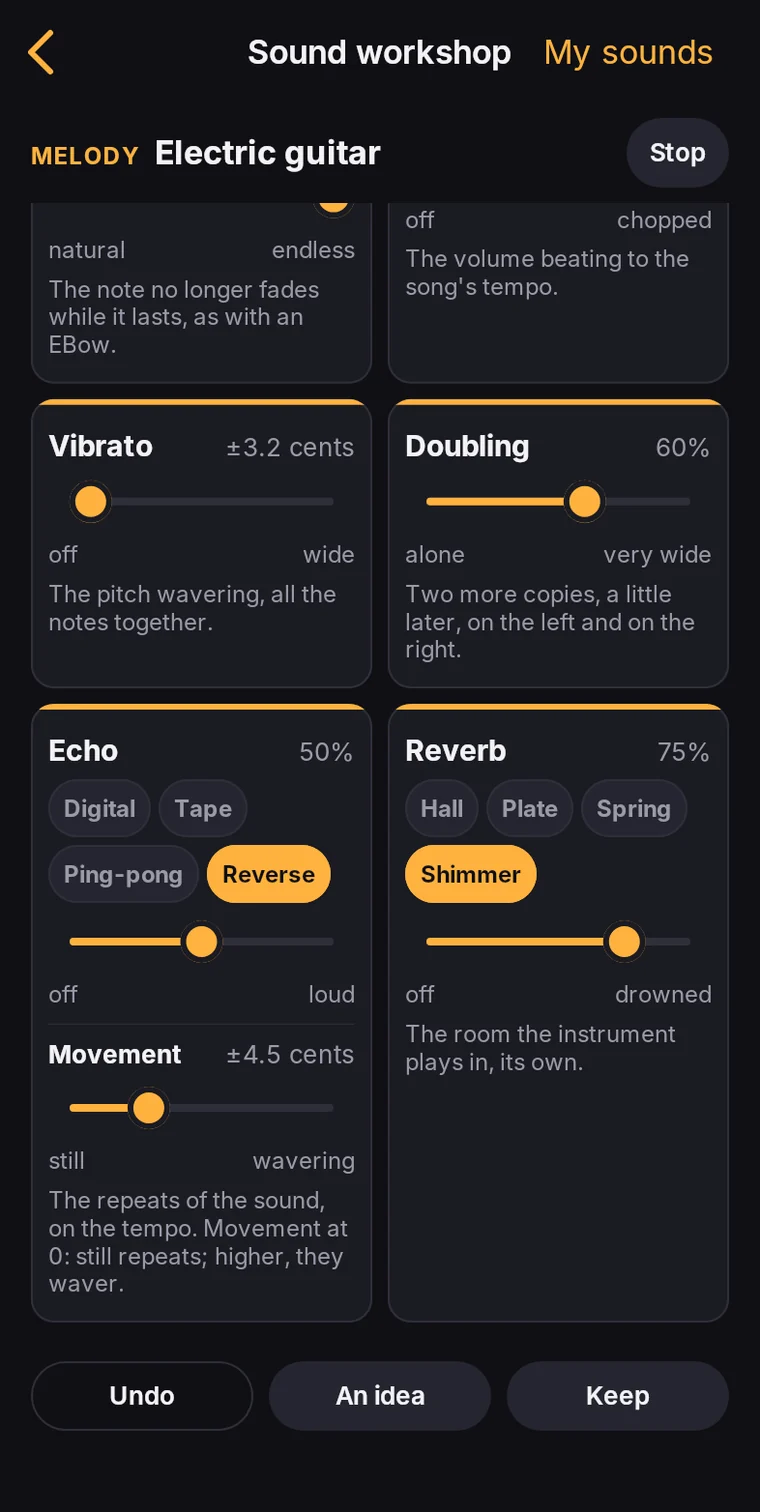
The electric guitar’s pedals: Vibrato, Doubling, Echo set to Reverse, Reverb set to Shimmer
Pedals. On the guitars, the electric piano and the bass: ten pedals, from fuzz to reverse echo and shimmer.

All shows every setting of the synth, each one explained. With Pro, keep the sounds you like in My sounds and share them with a code.

Sounds to play with

What the app calls them, and how it describes them.

Instruments

  • MelodyElectric guitar, folk guitar, electric piano, kalimba
  • ChordsPad, electric piano, folk guitar
  • BassSynth bass, electric bass, 808 bass
  • DrumsDrum kit, drum machine

Ambiances

Studio
The sound as it is, clean and clear.
Cassette
The grain of an old tape: hiss, a wobbling pitch, softened highs.
Old radio
An old set: a narrow, overdriven sound, hiss and crackles.
Underwater
Muffled and floating, as heard from the bottom of a pool.
Cathedral
A huge reverb: every note rings on for a long time.

Effects

Dry
The instrument as it is, no effect.
Space
Wider, with echoes bouncing from left to right.
Warm
Gently overdriven and rounder, like a tube amp.
Lo-fi
Narrow and grainy, like an old sampler.
Pump
Ducks on every kick, then swells back: the breathing of electronic music.

Modes

Major
Bright, happy
Minor
Dark, wistful
Dorian
Minor, but bright
Phrygian
Dark, tense
Lydian
Dreamy, floating
Mixolydian
Laid-back major, rock

Free to start, Pro for good

Free

  • The four tracks, with ideas and variations without limit
  • Two instruments for the melody, the chords and the bass, and the drum kit
  • The Dry and Space effects, the Studio ambiance
  • Major and minor, in all 12 keys
  • Three saved songs
  • The video that loops, and the codes
  • The Sound workshop, to try
  • 4 of the 21 sound ideas

Harmonino Pro

  • Every instrument, effect and ambiance
  • The four church modes
  • All 21 sound ideas
  • Songs without limit
  • The Sound workshop in your songs, your sounds kept and shared
  • Audio (WAV), stems and MIDI exports
  • A discreet signature on your videos, with no end card

Bought once on the App Store or Google Play, with no subscription. What updates add to it comes with it.

Questions

Do I need to know music?

No. The notes you place stay in key, and an idea gives you a whole loop to start from.

Is there really no subscription?

None. Harmonino is free, and Harmonino Pro is bought once, on the App Store or on Google Play.

Are my loops mine?

Yes, the loops and sounds you make are yours. You are responsible for what you publish, in particular for the copyright of the melodies you play.

Do I need an account?

No. Your songs stay on your phone, and a loop’s code opens it again anywhere.

What does the app collect?

No account, no ads, no tracking. The app sends anonymous statistics (crashes and usage), which you can turn off in “About”. Read the privacy policy.

Which phones?

iPhone with iOS 16.4 or later, and Android phones with Android 7.0 or later.

Make your first loop

Get it on Google PlayDownload on the App Store

A question? Write to contact@harmonino.com.